Ragdoll Test Physics How to Execute Scripts
PC and mobile executor basics for Ragdoll Physics loadstrings—without handing your account to scammers.
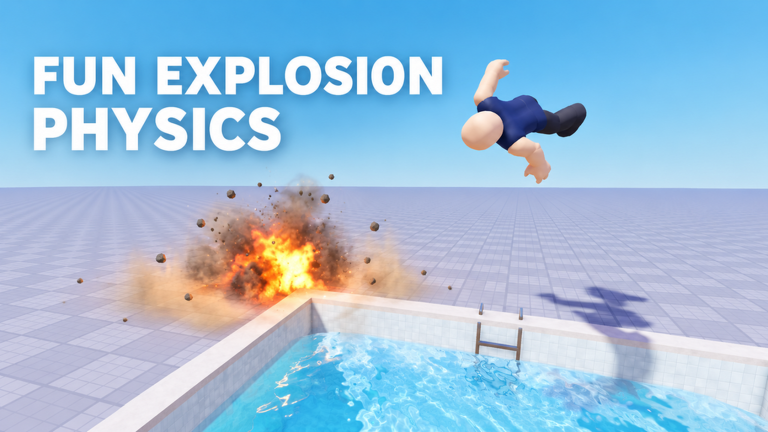
This guide explains how to execute scripts for Ragdoll Physics on Roblox. You will attach an executor, paste a loadstring, and run unlock or utility scripts such as the ones on Unlock all gamepasses. Nothing here is official. Executors are third-party programs that inject into the Roblox client and always carry account and malware risk.
If you only want free fun, skip scripts entirely: use the seven tools in the free tools guide and optional Robux passes.
What you need
| Item | Notes |
|---|---|
| Roblox account | Prefer an alt for experiments |
| Ragdoll Physics place | Play link |
| Executor | PC (most common) or mobile tool that supports HttpGet loadstrings |
| Script text | Copy from this wiki’s Scripts Hub — not from random DMs |
| Patience | Join the game before injecting when your executor requires it |
PC — typical workflow
- Install an executor from its primary website only. Avoid YouTube description mirrors, shortened links, and “cracked” builds.
- Update Windows and keep Defender real-time protection on. Many executors trip heuristics; that does not mean every flag is a false positive—double-check hashes when the author publishes them.
- Launch Roblox and join Ragdoll Physics. Wait until the test floor and tool hotbar finish loading.
- Open the executor and attach / inject into the Roblox process. If attach fails, restart both apps, or run the executor as administrator only if the author documents that step.
- Paste the loadstring exactly, including the final
(). - Execute. Watch for on-screen GUIs (unlock buttons, Sandbox toggles).
- Test a free tool first, then confirm a paid tool or Sandbox slider changed.
- Detach / close the executor when you are done testing.
PC tips specific to this game
- The main place is solo (
maxPlayers: 1), so you will not grief others while testing unlock scripts. - After the Nuke update, re-test unlock scripts—new passes sometimes need a fresh dump.
- If Sandbox UI appears empty, rejoin and re-run; see Sandbox mode.
- Learn real controls so you can tell script GUIs apart from vanilla panels: Controls guide.
Mobile — what to expect
Mobile execution is less stable than PC:
- You need a mobile executor that supports your OS version and current Roblox build.
- Sideloading APKs is the #1 malware vector—only install packages the executor author links themselves.
- Join the game, switch to the executor overlay, paste, and run.
- Touch UIs may hide script buttons; rotate to landscape and look for floating toggles.
- If Roblox force-closes after inject, your executor is outdated—wait for a patch instead of downloading “fix” APKs from comment sections.
Console players on Xbox / PlayStation cannot run these executors. Buy passes normally or play with free tools only.
Reading a loadstring safely
A normal unlock line looks like:
loadstring(game:HttpGet("https://example.com/raw/script.lua"))()Check:
- The URL uses
https://. - The path looks like a raw text file, not a phishing login page.
- You copied from Unlock gamepasses or another page on this wiki.
- Nobody asked you to enter your password or .ROBLOSECURITY cookie.
If a script asks for your cookie, stop. That steals the account.
Key systems
Some scripts (including Script 3 on the unlock page) open a browser key gate:
- Execute the loader.
- Click Get Key.
- Complete shortlink / captcha steps on the host.
- Copy the key back into the executor prompt.
Never download “key unlocker.exe” files during this flow. You only need the text key.
Common errors
| Message / symptom | Likely cause | What to try |
|---|---|---|
HttpGet failed | Executor blocked outbound HTTP | Different executor; disable aggressive firewall rules |
attempt to call nil | Game updated; script outdated | Try the alternate keyless script |
| Instant crash on inject | Executor vs Roblox version mismatch | Update executor; wait a day after Roblox patches |
| No GUI | Script ran before place loaded | Rejoin, wait 10 seconds, execute again |
| Tools missing after unlock | Partial hook | Toggle Sandbox button; rejoin |
Legal and ToS reality check
- Roblox forbids unauthorized third-party software that manipulates the client.
- You can lose access to limiteds, Robux, and the account itself.
- Content creators who rely on this game for videos should assume a ban is possible.
- Supporting the developer with real gamepasses funds more physics toys—like Nuke (Powerful).
Ethical alternatives
- Master free tools — Getting Started and Free tools.
- Buy one budget pass (Tazer R$ 14) instead of unlocking everything.
- Grab Sandbox (R$ 49) if you care about gravity sliders more than guns.
- Play the multiplayer place with friends using only owned tools.
- Track patches on the Updates Hub instead of chasing broken scripts.
Related pages
Execute carefully, keep expectations low, and fall back to official passes when a script dies after the next update.
Frequently Asked Questions
Quick answers about Ragdoll Physics tools, passes, and scripts.
Do I inject before or after joining Ragdoll Physics?
Most modern executors want you in-game first. Join the place, wait for the floor to load, then attach and paste—especially for unlock scripts.
Can I execute scripts on Xbox or PlayStation?
No practical public executors exist for Roblox consoles. Use free tools or buy gamepasses on those platforms.
Why does my antivirus delete the executor?
Injectors look like malware because they are. Some are clean-but-flagged; some are actually stolen. Download only from the author’s main site and consider using a spare PC account.
What script should beginners run first?
If you insist on scripting, use a keyless unlock from Unlock gamepasses. Skip key systems until you are comfortable with the basic inject loop.
Does executing scripts give free Robux?
No. Avoid any “free Robux” promise. These loadstrings only alter local game state for Ragdoll Physics tools and Sandbox.